Built for the stage. Change sounds mid-chord without a gap, with two patches, 64 Set pads and nanoKONTROL2 at hand.
S
S
S
S
SET1234
nanoKONTROL2
01 · Seamless switchPreview voice
Change the sound. Keep the note.
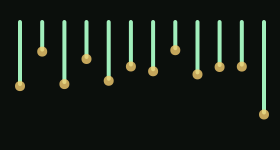
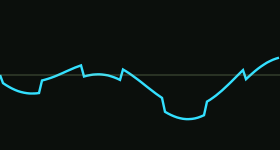
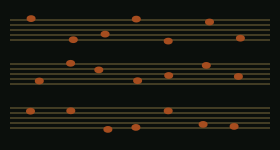
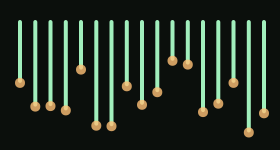
In KiMiA, the next sound loads while the last one plays on. Notes you are holding finish in their own sound, with their own effects and tails; the next notes play the new one. Try it: hold keys, switch pads, watch the line.
Largest step in the output after the last switch: —
02 · Live
Made for the stage.
Load a set, press a pad, play. Everything you need on a gig is one press away.
01 · Dual Patch
Two patches at once.
Two full sounds of four layers each, every one with its own insert effects, Delay, Reverb, Shimmer and stored level.
02 · Set pads
64 pads, one press each.
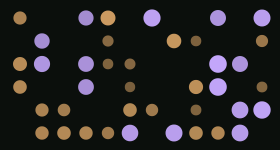
Sixteen pads on each of four pages. A pad is a snapshot of what plays: Patch 1, Patch 2, the mix and the tempo. The number keys 1 to 0 recall the first ten.
03 · Seamless switch
Change sounds mid-note.
With Seamless switch on, held and pedalled notes and their delay and reverb tails ring on with their old sounds while new notes play the pad’s. Off, a patch whose sound changes fades out in 30 ms.
04 · nanoKONTROL2
Hands on the hardware.
Set pads on the Korg nanoKONTROL2’s S, M and R buttons, and its knobs and sliders taught to the patch in focus. Any MIDI button or footswitch can step pages or recall a pad.
05 · Safety net
A limiter on the last stage.
A look-ahead limiter at −0.1 dBFS sits at the end of the output.
06 · Buffer
Down to 64 frames.
Choose 64, 128, 256 or 512 frames. 64 frames at 44.1 kHz is a 1.5 ms buffer.
07 · Standalone and plug-in
On the Mac and in your DAW.
Free for the first months on macOS. Also an Audio Unit for Logic Pro and MainStage, and a VST3 for Ableton Live and Cubase.
Five engines, four layers per patch, two patches at once. More than enough for making music.
01 / 05
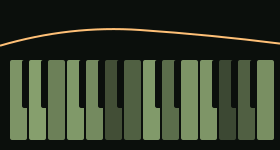
SubtractiveClose the cutoff. Listen to it go dark.
Two oscillators: Sine, Triangle, Saw, Pulse, Harmonic or Supersaw, plus a sub and noise. Then seven filters: Low-pass, High-pass, Band-pass, Notch, Ladder, Comb and Vowel.
02 / 05
WavetableTwenty-four tables. Move through them.
Six families: Warm, Vocal, Metallic, Aggressive, Atmospheric and Pure. Sweep Position through the frames and warp them with Bend, Sync, Fold, Mirror or Quant. Two per layer.
03 / 05
FMFour operators. Turn up feedback for the bark.
Set each operator by ratio or by fixed frequency, give each its own envelope, and pick one of sixteen algorithms, from Pure Additive to Deep Feedback.
04 / 05
PhysicalNot a sample.
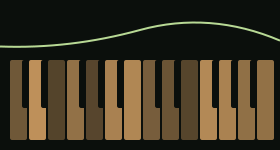
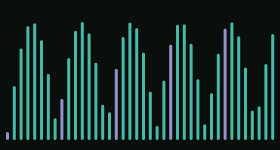
A hammer or a mallet strikes a model: tine electric piano, reed electric piano, marimba, vibraphone, xylophone, glockenspiel, bell or kalimba. Or a string is plucked or struck: harp, guitar, clavi. Hardness, Tone, Bark and Voicing do the rest.
Tap a bar to strike it.
05 / 05
Drum kitA whole kit across the keyboard.
Twelve Analog instruments on their General MIDI keys, each with Tune, Decay, Tone and Level, and Snappy on the snare. Or the recorded Acoustic kit: fifteen pieces and a Room mic.
Analog kitAcoustic kit
The app
This is KiMiA.
Two screenshots from the Mac app.
Edit. Two patches at once, four layers each, the live output, and the Wavetable engine’s two tables in 3D.Play. An XY pad on two macros, filter knobs with MIDI Learn, and the sound path from your keys to the speakers.
05 · Story
Designed on stage.
KiMiA was designed by a professional keyboardist and pianist who plays live. It is built for the moment a song turns and the sound has to change without the music stopping: the held chord rings on, the next note is already the new sound.
Underneath sits deep sound design, more than enough for making music: five engines, two patches at once and a full set of effects. On stage, it stays out of the way.
06 · PlayPreview voice
Play
A browser voice with KiMiA's own controls. Play keys A to ; on your keyboard, or tap.
Vo 0Saw
Cutoff1012 Hz
Resonance15%
Drive20%
Attack2 ms
Release23 ms
WAVE
07 · Banks
Banks
26 banks, 729 sounds, all made in KiMiA.
Living Signals20 sounds
Twenty sounds that move on their own: whale song, warp drives, clockwork and a black hole.
Price soon
Tine & Reed25 sounds
Modelled electric pianos, tine and reed, in every mood, with vibes, marimba, celesta and kalimba.
Price soon
Stagecraft50 sounds
A gig in one bank: grands, clavs, drawbars, guitars, basses and a small orchestra.
Price soon
Studio Analog50 sounds
Leads, pads, comps and eight arpeggios, built to sit beside a second patch.
Price soon
Modern Colour50 sounds
Hyper saws, drill 808s, log drums, garage bass and plucks from four continents.
Price soon
Late Set50 sounds
Late-session keys, a small score desk and a few toys for the quiet end of the night.
Thirty more: modem ghosts, rubber acid, underwater bells and a velvet black hole.
Price soon
Grand Hall20 sounds
Eight section hits and twelve sustained ensembles, chamber to fortissimo.
Price soon
Hammer & Mallet30 sounds
Stage tines and wide stereo tines, rosewood marimba, bronze bells and a kalimba ensemble, all modelled.
Price soon
Warehouse20 sounds
Fifteen club-weight stacks and five cutting mono leads.
Price soon
Jet Stream5 sounds
Five thick techno bodies, each under a slow flanger that evolves over 8 to 33 seconds.
Price soon
Sanctuary25 sounds
Ten cinematic pads with soft keys, strings, bells and a warm bass bed.
Price soon
Tine Studies II10 sounds
Ten FM pianos where the bright partial dies and a different tone rings on.
Price soon
Tine Studies I10 sounds
Ten FM tines: the attack is the tine, and a held note dies away in about ten seconds.
Price soon
Wild Places40 sounds
Forty noises, no melodies: forest, rain, thunder, a jammed radio and an outer planet.
Price soon
Sunday Set20 sounds
Twenty sounds for a Sunday set: ballad piano, verse tines, hymn strings and chapel organ.
Price soon
Rhythm Foundry14 sounds
Fourteen drum kit sounds built on KiMiA's analog drum engine.
Price soon
08 · Sounds
Hear KiMiA.
Rendered straight from the KiMiA engine and level-matched, so you compare sounds, not volume.
FM signature
Roadhouse
Four-operator FM tines from Tine Studies III, played as a progression.
A / B
Air or analog?
Two kinds of tine
Hall or sanctuary
Deep water
Arpeggiator
One chord in, a pattern out.
Effects
Flanger on a wall of saws.
Dual Patch
A grand and a pad, at once.
Walnut Grand and Silk Veil as one Dual Patch: two full sounds played together.
09 · In your DAW
The same KiMiA, in your session.
VST3 and AU. Load it like any other instrument; the whole sound saves with your project.
Ableton Live · VST3
On a MIDI track.
In Settings → Plug-Ins, turn on the VST3 system folder.
Search the browser for KiMiA.
Drag it onto a MIDI track and play.
Logic Pro · AU
On a Software Instrument track.
Create a Software Instrument track.
Open the instrument slot: AU Instruments → Ray Bridge Digital → KiMiA.
Recording and automation use Logic's own controls.
Formats
VST3 and Audio Unit instruments, native on Apple Silicon, macOS 14 or later.
In and out
Stereo out. MIDI on all 16 channels. Tempo and buffer size come from your host.
Every instance
Each instance has its own engine, sound, imported wavetables, routing, macros and XY assignments.
Automation
Layer parameters, shared effects, macros, XY position, transpose, Hold and layer sends.
Saved with the project
The complete sound, motion curves and imported wavetables, plus your MIDI Learn bindings. They work with the editor closed.
10 · Download
Free for the first months.
KiMiA runs standalone on your Mac and as VST3 and AU instruments in your DAW.
Download KiMiA when it opens (coming soon).
Install it on your Mac.
Play standalone, or load it in your DAW.
Download KiMiA · Coming soon
macOS 14 or later, Apple Silicon. The download is not open yet.
11 · Course
Learn the filter by ear.
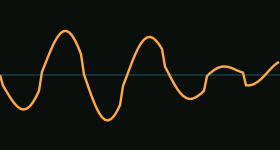
Play Squelch and drag the curve: left and right for cutoff, up and down for resonance. The course goes deeper, with two modules on cutoff and resonance.
The KiMiA course
Go deeper on the course site.
Modules 3 and 4 cover cutoff and resonance, the two moves you just made.
Course site · Coming soon
12 · Email
Hear it first.
New banks, the course and release news. Not often.
Email sign-up · Coming soon
When it opens, it will store your name and email only, to send KiMiA news, and you can unsubscribe at any time. Privacy